Work Order Scheduling Page
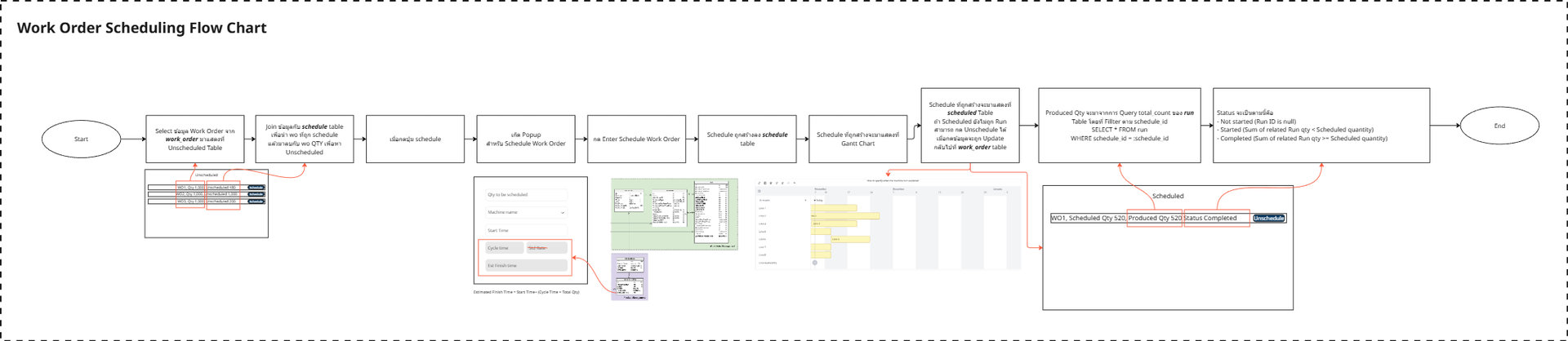
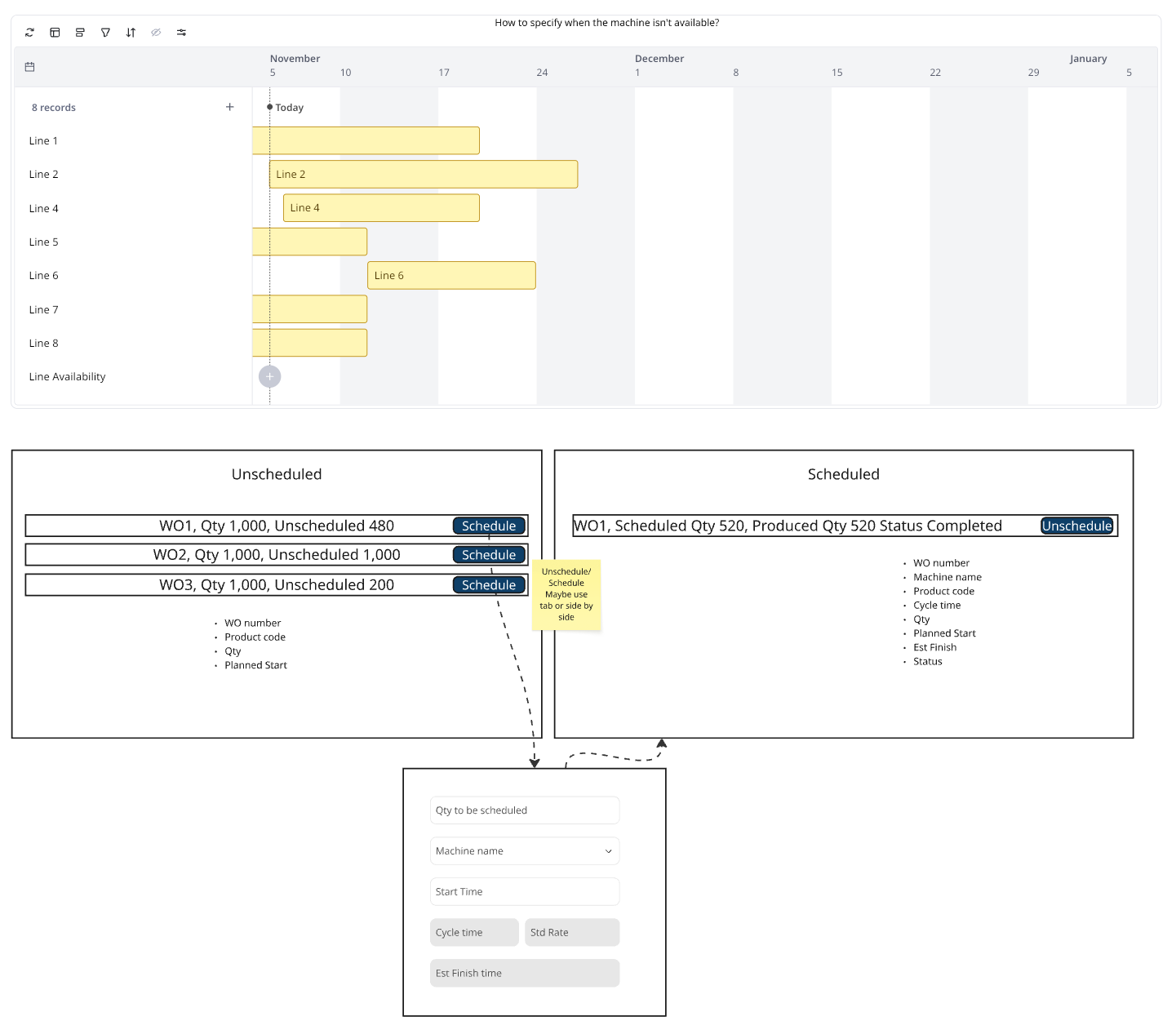
This page consists of three sections
Gantt Table
- Date range filter + 3 days, -3 days, this week, this month?
- Show what has been scheduled
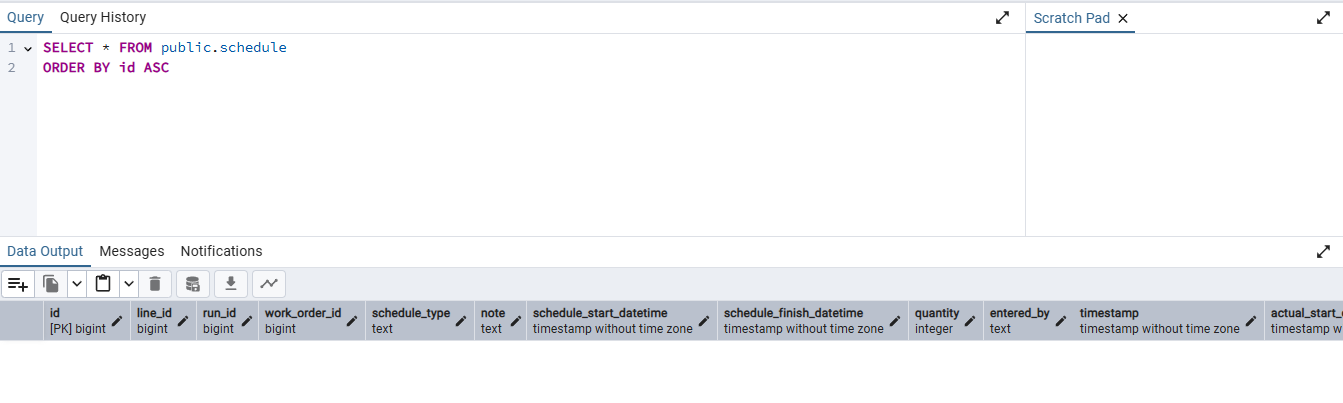
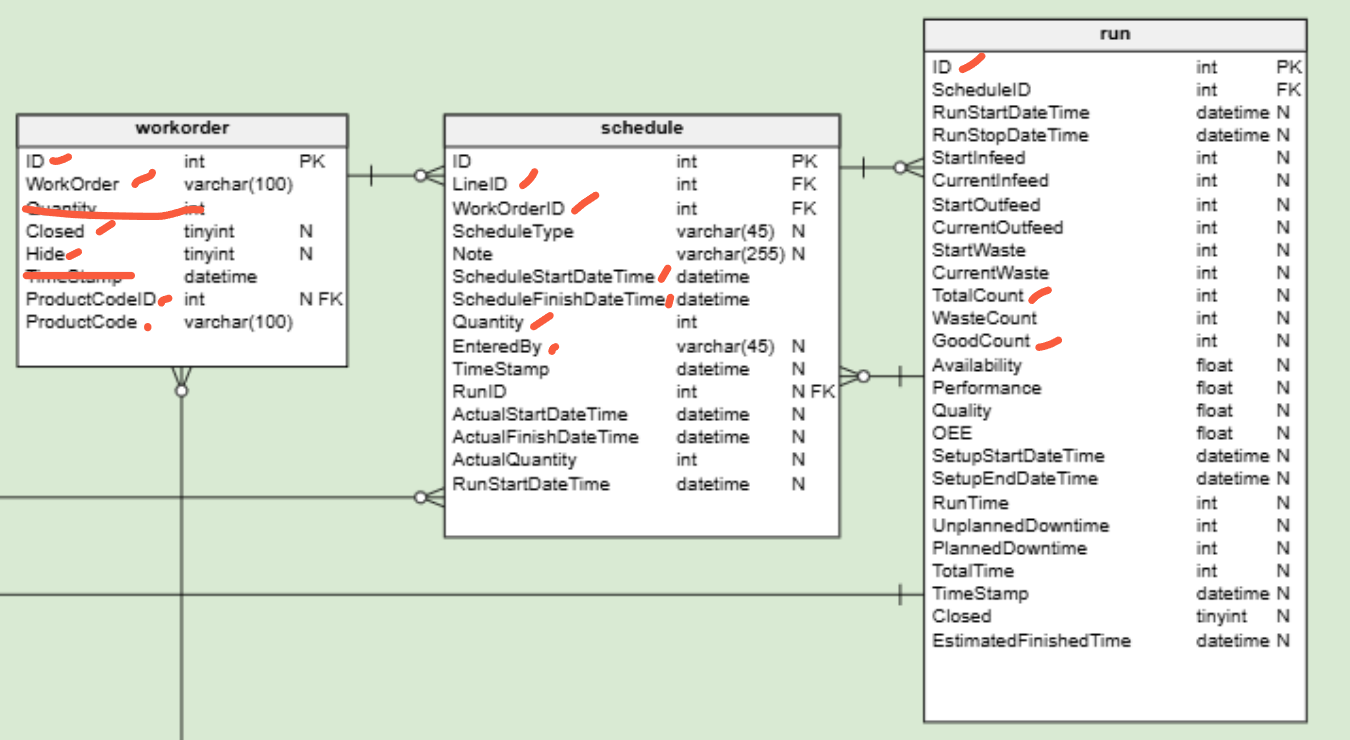
- Show status with colour
- Not started (Run ID is null)
- Started (Sum of related Run qty < Scheduled quantity)
- Completed (Sum of related Run qty >= Scheduled quantity)
Unscheduled Table
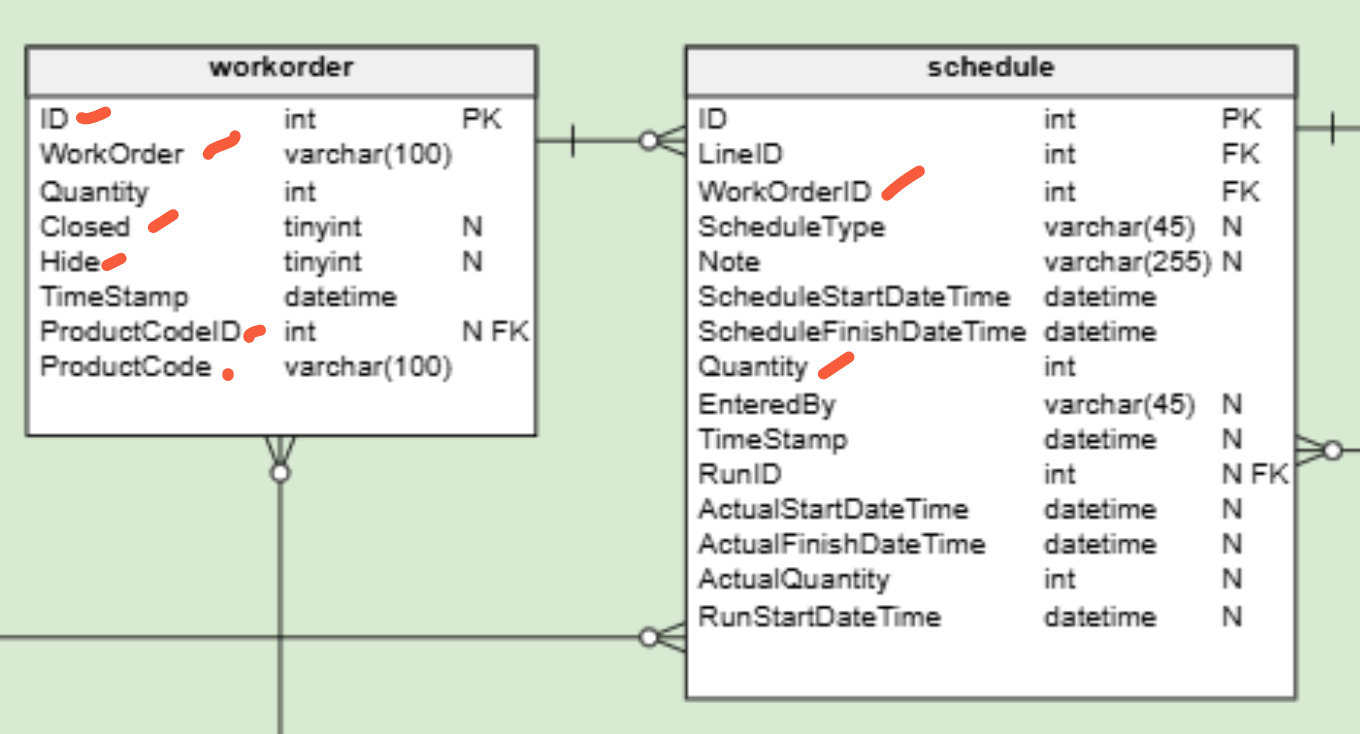
- All of the incompleted Work Orders without the cancelled status
- Not closed, not hilde
- Sum of related schedule qty < Work order Qty
Scheduled Table
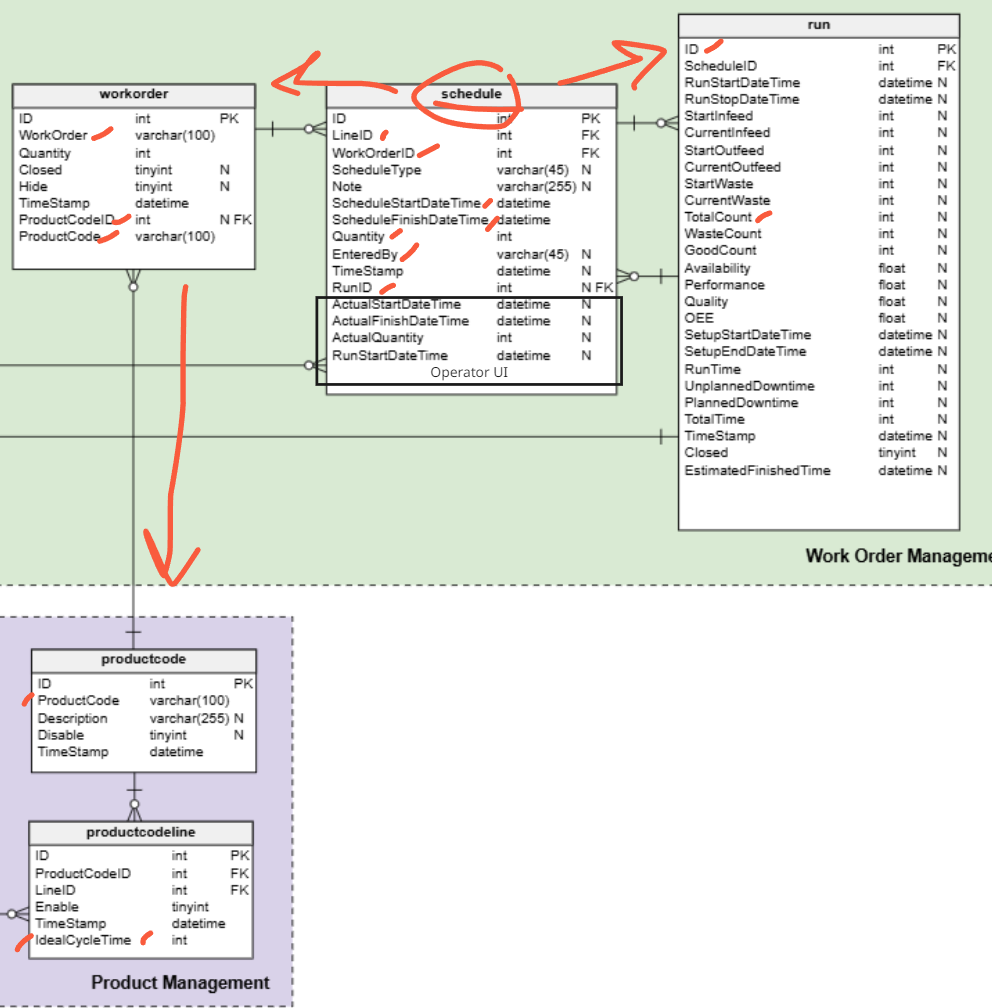
Filter
- Defult - Scheduled but not completed
- Status - Completed
- Line name
- date range (default all)
- Limite to last 200
2. Popup Detail: Schedule + Associated Production Runs
When the Schedule button is clicked, a popup will appear.
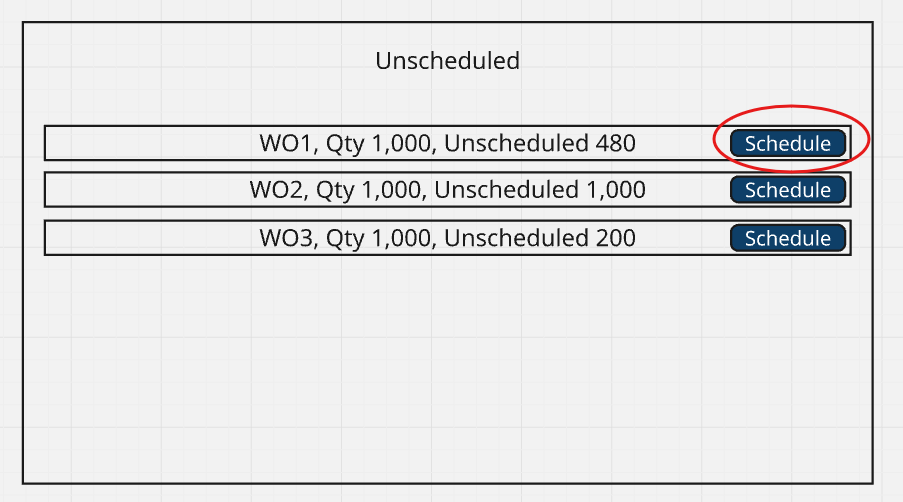
The popup will look approximately like this, and can be adjusted as needed.
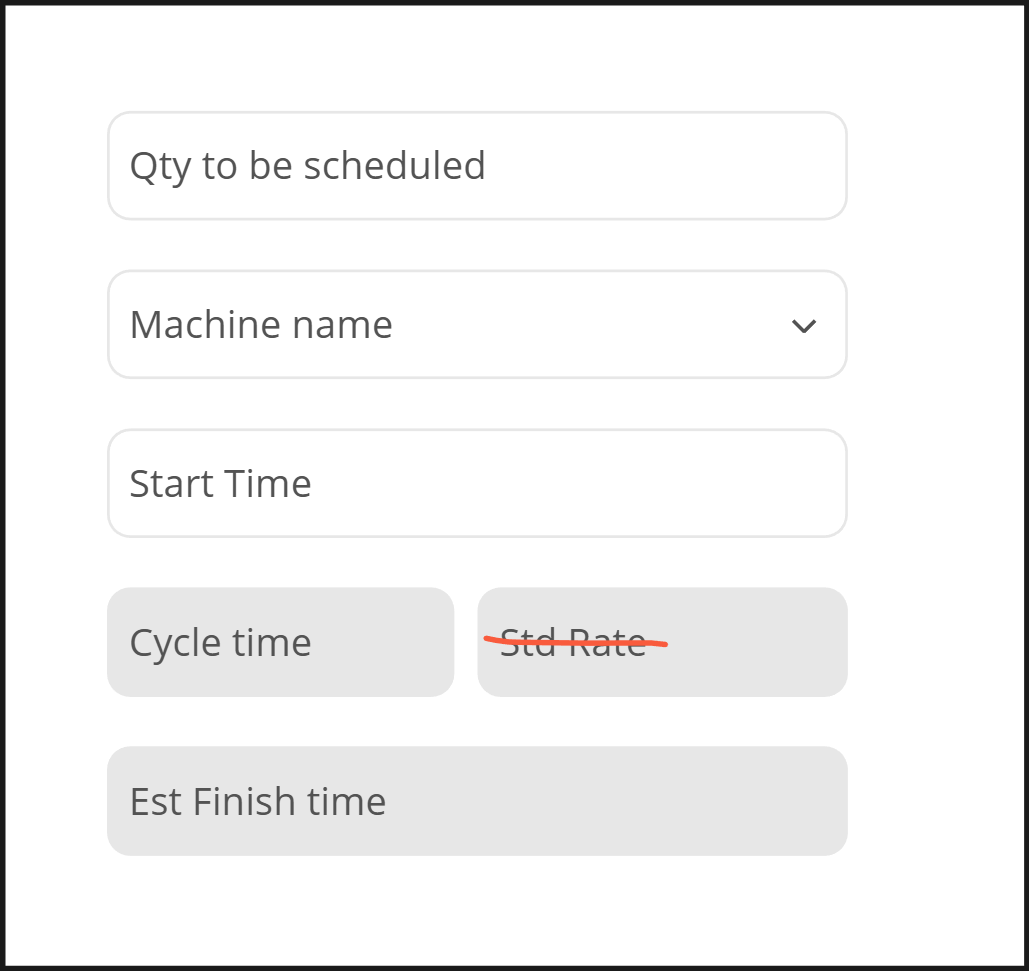
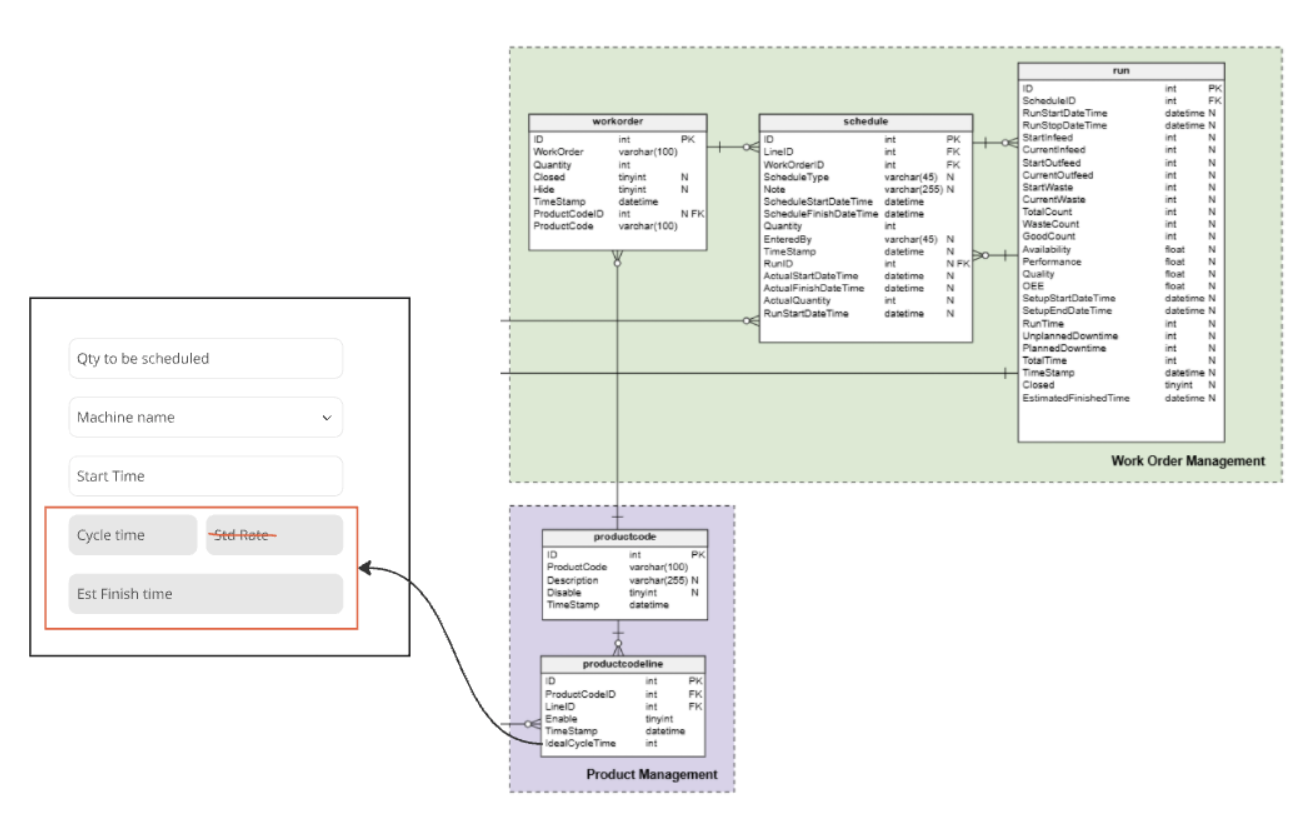
Cycle time จะต้อง Join Table ย้อนกลับไปที่ Product Code Line เพื่อ get Cycle time
Estimated Finish Time เกิดจากสูตรดังนี้
Estimated Finish Time = Start Time+(Cycle Time × Total Quantity)