New Work Order Popup Form
Objective:
To enable Planners/Supervisors to easily create, edit, and upload both Master Data (e.g., Product Code, Line Mapping) and Transactional Data (e.g., Work Order, Schedule).
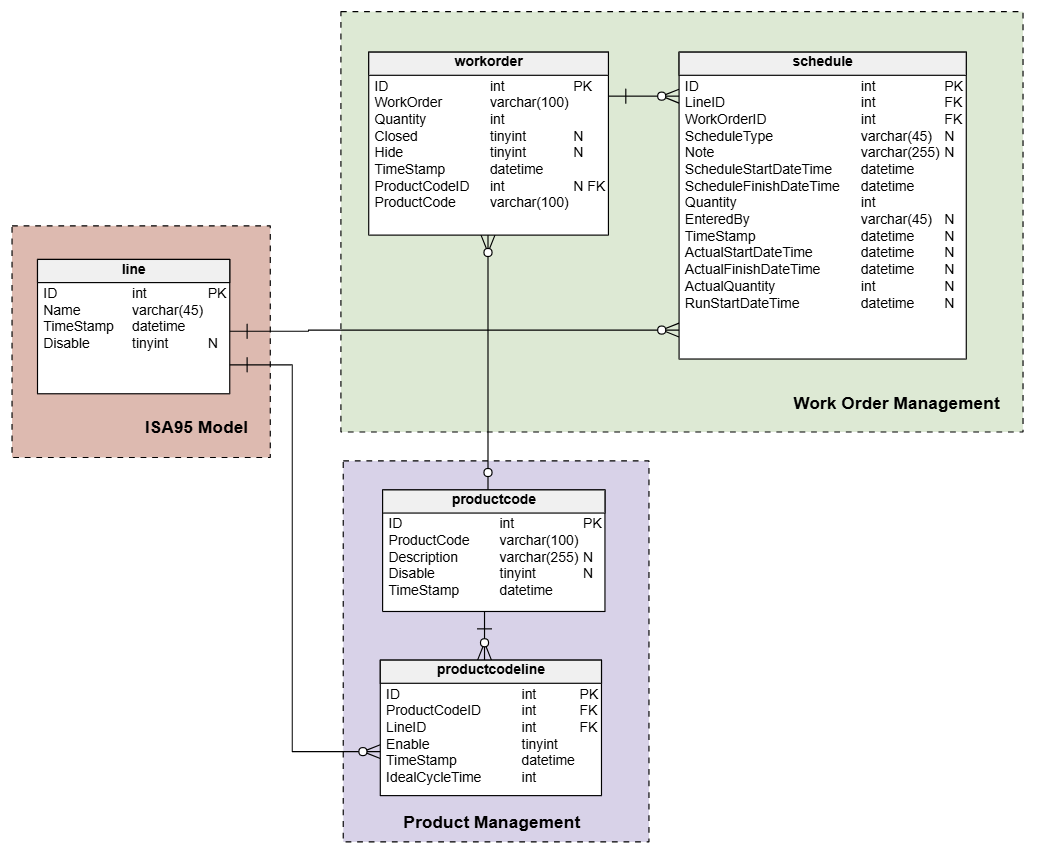
1. ERD
How to Create a New Work Order
Click the New Work Order button — a popup form for creating a new Work Order will appear.
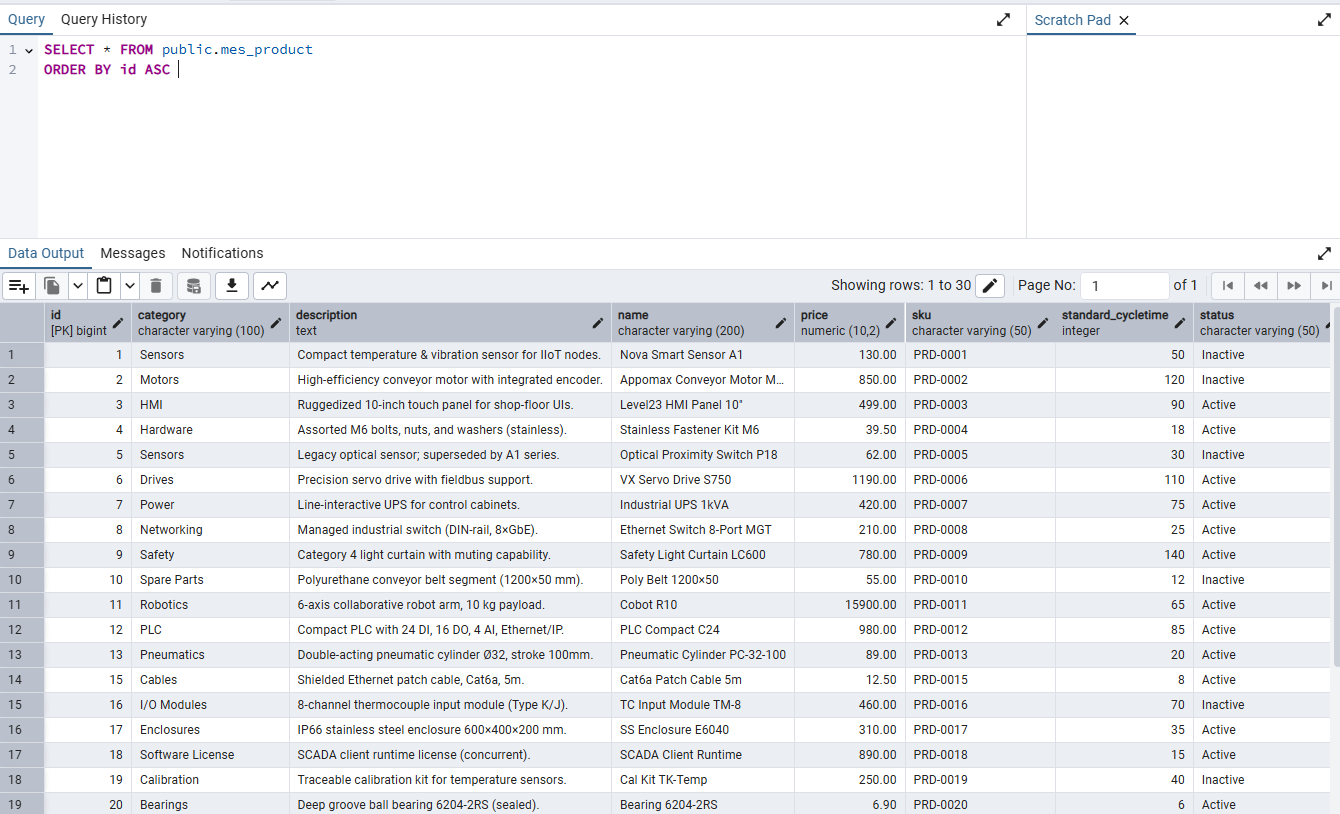
When creating a Work Order, you must select a Product from the mes_product table.
3.The popup will look approximately like this:

Note: The form should not include the following fields — Plan Start, Plan End, Actual Start, Actual End, or Estimated Duration.
4. Once you click Create, the new Work Order will be displayed on the Work Order page.
5.To edit an existing Work Order, click on its corresponding row and then click the Edit Work Order button.
Note: If you prefer, the Add and Edit buttons can be combined into a single button — depending on the developer’s or designer’s preference.
**6.The user must also be able to upload Work Orders via CSV file.
(This feature will be implemented later, after completing the “03.5 Production Run Page.”)