Work Order List View Page
📊 Work Order View — UI Mockup
The Work Order page consists of a Summary Card at the top and a Filter section for viewing data.
The Filter must include:
Search
Work Order Status Filter
Work Order Creation Time
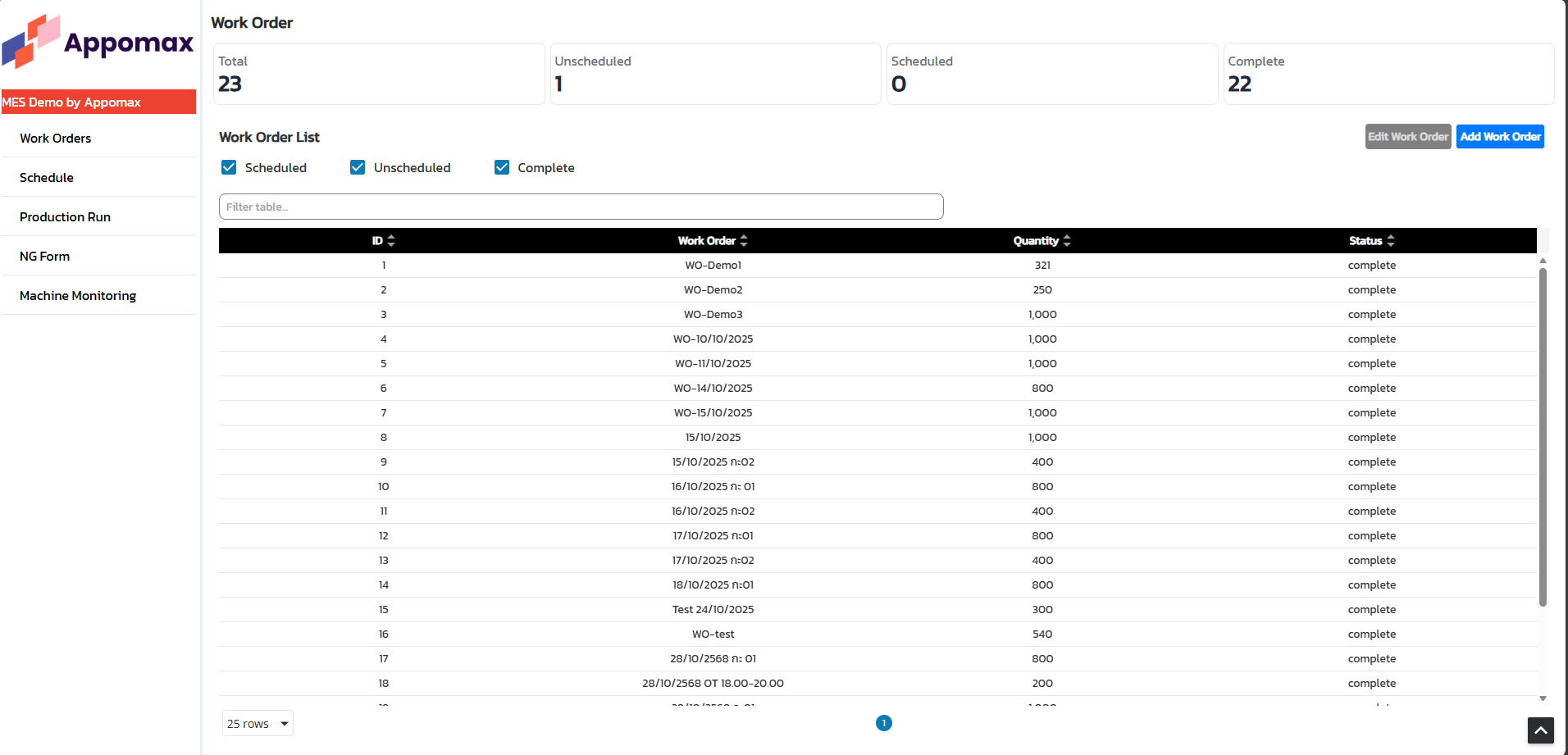
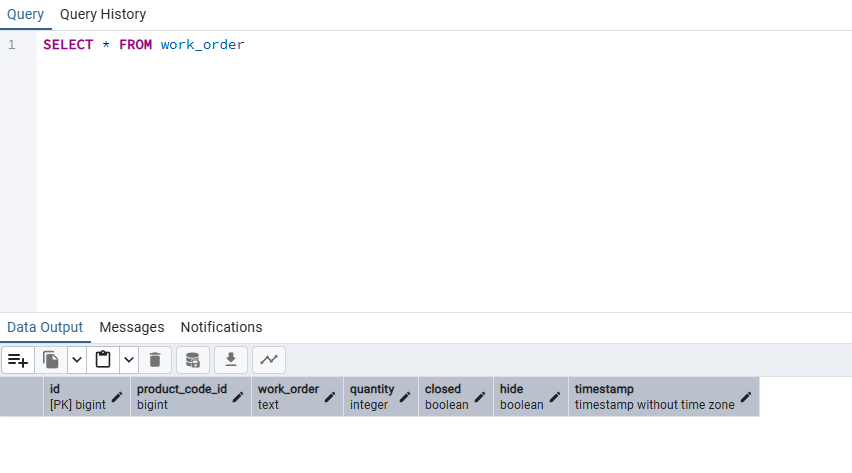
The Work Order page displays Work Orders retrieved from the Wo table.
The data displayed in the table can be adjusted as needed.
🔷 Main Layout
+--------------------------------------------------------+
| 🏭 Work Order Management                               |
| [Export Excel] [Add Work Order]                        |
+--------------------------------------------------------+
| 📅 Filter Panel                                        |
| +----------------------------------------------------+ |
| | Date From:  [ 2025-05-01 ][📅]    Until: [2025-05-30][📅] |
| | Status: [✓ Created][✓ Scheduled][✓ In Progress][ ]Completed |
| | Machine:   [Dropdown Search: Line Name]            |
| | Machine Type: [Dropdown]                            |
| | Operation:  [Dropdown]                               |
| | Area:       [Dropdown]                               |
| | [Apply Filter] [Clear]                               |
+--------------------------------------------------------+
| 📋 Work Order Table (Data Table)                      |
| +----------------------------------------------------+ |
| | WorkOrder | Product | Qty | Line | Status | Start | End |
| | WO-001    | PC-A100 | 1000| Line1|Scheduled|...  | ... |
| | WO-002    | PC-A200 | 800 | Line2|In Progress|...|...|
| +----------------------------------------------------+ |
| Pagination: [<<] [<] [Page 1 of 5] [>] [>>]          |
+--------------------------------------------------------+
| On Row Click → Open Work Order Detail Panel          |
+--------------------------------------------------------+